Learn from each other.
Members share progress, review each other's code, and celebrate wins together. The fastest way to grow as a developer is alongside peers doing the same.
Swift Student Challenge 2026
Next submission window: Feb 6–28, 2026
Swift Student Sprint is a community of junior and high-school students learning Swift & SwiftUI together — growing from your first lines of code toward becoming an Apple developer, and joining the worldwide circle of Swift Student Challenge participants and winners.
How we gather
July Foundations
July–August 2026 · Swift & SwiftUI Foundations (Thursdays, 8 sessions)
Where the community comes together to learn Swift and SwiftUI from each other — live gatherings on Thursdays, shared material, and peers who help you keep going.
SSC January Sprint
Nov 2026 – Jan 2027 · Swift Student Challenge January Sprint
The season where members rally toward a Swift Student Challenge submission together — sharing ideas, reviewing each other's work, and shipping alongside the wider community of past participants and winners.
Mark your calendar
People who grow with you
Not lecturers — facilitators who code alongside you, open up Apple's tools, and connect the community so members learn from each other.
Facilitator Name — Role.
Our season-by-season Swift & SwiftUI path — from first lines of code to a Swift Student Challenge 2026 submission — is something we walk through together as a community. Ask for the detail and we'll send the complete pathway personally.
We'll reach out on WhatsApp and email with the full pathway. No spam.
Members follow a shared path together: build Swift and SwiftUI fluency in July, then rally as a community to turn one strong idea into a Swift Student Challenge 2026 submission in the January Sprint.
Weekly bi-weekly live sessions plus recorded material — students learn Swift syntax, data structures, and SwiftUI building blocks while shipping small working features.
Two focused weeks where everything converges: ideation, SwiftUI "storming" sessions, and peer review — timed so your app playground is ready for the Feb 6–28, 2026 submission window.
What students will build
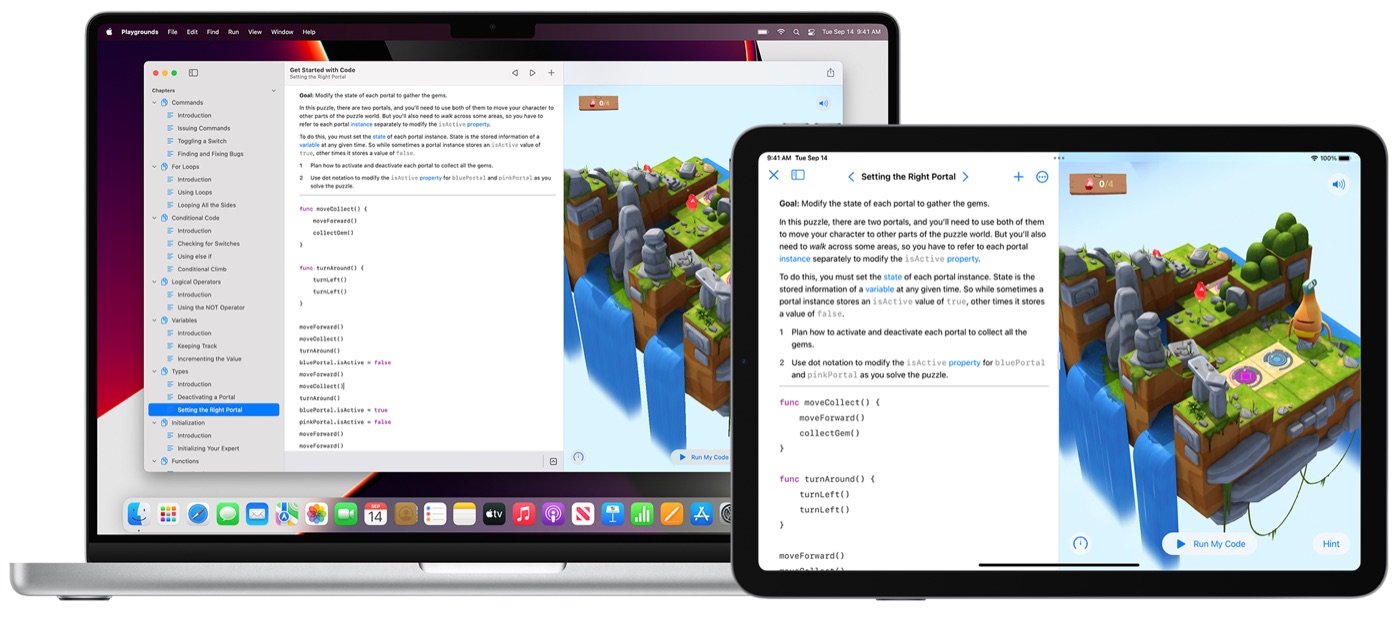
By the end of the January Sprint, you'll have a Swift Playground project with a clear narrative, working interactions, and the polish needed to stand out — built on iPad or Mac in Swift Playgrounds, optionally extended in Xcode.
Designed for student creators
Junior and high-school students, building real Swift apps.
How we grow together
Swift Student Sprint exists so students don't learn alone. We grow into Apple developers side by side — exploring Apple's technology, learning from each other, and stepping into the worldwide circle of Swift Student Challenge 2026 participants and winners.
Members share progress, review each other's code, and celebrate wins together. The fastest way to grow as a developer is alongside peers doing the same.
Get hands-on with Swift, SwiftUI, and Swift Playgrounds — the same tools Apple developers use — and find your footing toward becoming an Apple app developer.
The Swift Student Challenge connects thousands of student creators worldwide each year. Our community is your on-ramp into that global network of participants and winners.
A group of students at a similar stage — to build with, ask questions, and stay motivated alongside.
Shared lessons, live community gatherings (on-site or online), and code review where members learn from each other.
Guidance and shared milestones so members can work toward a Swift Student Challenge 2026 submission together.
Program requirements
Students work with up-to-date Apple software so everything runs smoothly during hybrid sessions. Either iPad or MacBook is supported for the full program.
Option 1 · iPad
iPad + Bluetooth keyboard (recommended for portability)
Operating system
Minimum iPadOS 17.
Required apps
Option 2 · MacBook
MacBook running macOS
Operating system
Minimum macOS Tahoe.
Required apps
A stable internet connection is required for hybrid lessons, downloads, and backup.
Frequently asked
Junior and high-school students who want to grow as Swift developers and work toward the Swift Student Challenge 2026. Some coding experience helps, but prior Swift experience is not required.
No. We learn Swift fundamentals together and grow from there — building a small, well-made app playground as a community. Basic comfort with logic or any programming language helps.
We gather online and on-site: shared lessons you can revisit, live community gatherings, and code review where members learn from each other and stay motivated together.
Two seasons a year: July Foundations and the SSC January Sprint. Exact gathering dates are confirmed ahead of each season.
Yes. Members work toward a scoped, tested app playground aligned with Swift Student Challenge 2026 expectations and the Feb 6–28, 2026 submission window — and connect with the wider circle of past participants and winners. Always confirm official dates on Apple's site. Confirm dates.
Groups are kept small enough for real code review, individual feedback, and a community where everyone knows each other.
Plan for about 60–90 minutes per gathering across the season, plus independent build time. Tight, focused, and doable alongside school.
Tap any Further detail button and share your contact. We'll personally send the complete Swift & SwiftUI pathway, gathering dates, and how to join — on WhatsApp and email.
Grow with us
Tell us a little about yourself and we'll share the full pathway, gathering dates, and how to join — personally, on WhatsApp and email.
Questions? Email apple.haryanto@icloud.com · #SwiftStudentSprint